
Comparison · Platform choice for Ottawa teams
WordPress vs. a Custom Website
WordPress and a custom website are not opposites in every project. A custom website may use WordPress as its content system, or it may use a different CMS, a static publishing workflow, or an application framework. The useful comparison is between a general-purpose platform configured for publishing and a deliberately engineered system whose content model, interface, and operating controls are tailored to a documented need. For an Ottawa organization, that distinction matters more than whether one option sounds more professional. A team should choose the arrangement it can edit, secure, measure, and eventually change without depending on assumptions that were never written down.
Who this is for
This guide is for Ottawa businesses, associations, nonprofits, professional practices, and public-facing teams choosing between a conventional WordPress build and a more bespoke website. It is relevant for a first site, a redesign, or a migration from an inherited installation. It is not a verdict that either approach is universally faster, safer, or better for search. The decision depends on publishing patterns, integrations, content governance, staff capability, accessibility needs, and the consequences of downtime or an awkward update.
The key decision
Choose WordPress when the organization benefits from a mature editorial ecosystem, broad supplier choice, and a familiar publishing model, and can fund responsible maintenance. Choose a custom system when a specific content workflow, performance constraint, integration, or interaction justifies engineering and the organization can sustain that expertise. In either case, request a content model, ownership plan, accessibility approach, migration scope, and exit path before comparing visual concepts. A low initial quote that leaves these responsibilities unclear is not a meaningful saving.
Define what custom actually means
“Custom” can describe a visual design, a theme, a set of components, a content model, a front end, or an entire application. Ask the supplier to name each layer. A custom-designed WordPress site may provide a tailored editorial experience while retaining WordPress administration. A static site may deliver very little runtime code but require a developer or repository workflow for ordinary edits. A custom application may solve a complex workflow yet create a larger support obligation. These are materially different proposals and should not be compared under one label.
Write the reason for customization in observable terms. Perhaps staff need a particular approval sequence, a directory with unusual relationships, a public tool with strict response times, or an integration that existing extensions cannot support reliably. If the only reason is that a bespoke build sounds more unique, a restrained WordPress implementation may be more proportionate. Conversely, if the current platform forces repetitive workarounds every week, its apparent convenience may already be costing more than a careful redesign.
Compare everyday publishing, not only launch polish
Ask real editors to complete representative tasks: add a service, update an Ottawa office detail, publish an article, replace a PDF, correct an image description, and retire an expired announcement. WordPress can offer a familiar dashboard and a large range of editorial extensions, but an over-flexible build can expose confusing controls. A custom CMS can present a precise workflow, but its usability depends on the quality of the design and on whether someone remains available to improve it. Test the tasks with the people who will actually publish.
A content model should distinguish reusable information from one-off page composition. Services, people, locations, events, and resources often benefit from structured fields and relationships. A page builder may be useful for genuinely varied campaigns, but unrestricted layouts make consistency and later migration harder. Record who drafts, reviews, translates, approves, and publishes. Ottawa teams serving English and French audiences should also test paired pages, documents, navigation labels, and notification messages rather than evaluating a language switch in isolation.
Make ownership and supplier exit explicit
The organization should control its domain registrar, hosting relationship, CMS administration, analytics, repositories where applicable, licences, and connected services. Individual staff accounts are preferable to one agency login, with access limited by role and removed when responsibilities change. A WordPress site can often be moved between capable hosts, but portability is reduced by undocumented custom code, proprietary plugins, or licences tied to a supplier. A custom site can be exportable too, yet the receiving team needs source code, deployment instructions, infrastructure details, and a clear account of dependencies.
Put handoff requirements in the proposal. Request a content export, URL inventory, component or theme documentation, environment variables without exposing secrets, backup and restore instructions, analytics ownership, and a list of renewal dates. Define what happens if the relationship ends: who supplies files, how administrator access is transferred, what licences continue, and whether the supplier will assist a new team. Ownership is not just a legal clause; it is the practical ability to publish, recover, and improve the website when circumstances change.
Evaluate accessibility as a system property
Neither WordPress nor custom development is automatically accessible. Accessibility depends on semantic templates, keyboard operation, focus handling, headings, labels, contrast, error feedback, responsive behaviour, document quality, and the content editors publish. A WordPress component library can encode good patterns and make them repeatable, while plugins or arbitrary blocks can introduce barriers. A custom system can enforce stronger constraints, but only if engineers test states such as empty results, validation failures, long French labels, zoom, and reduced motion.
Include people with relevant lived experience in review where feasible, and combine manual testing with automated checks. Test the authoring interface as well as the public site: an editor who cannot add meaningful alternative text or understand a required field can undermine an otherwise careful front end. Accessibility duties vary with the organization, audience, and service. Obtain qualified legal advice for compliance questions; a supplier should describe practical testing and remediation rather than make a universal legal guarantee.
Separate performance claims from platform slogans
Performance comes from the whole delivery system. Templates, image sizes, fonts, scripts, caching, hosting, database queries, third-party embeds, and content volume all matter. A carefully built WordPress site can be responsive, while an inefficient custom application can be slow. A static or server-rendered custom front end may reduce some runtime work, but build pipelines, previews, search, forms, and personalization add their own complexity. Require testing on representative service pages, articles, directories, and mobile connections instead of accepting a home-page score as proof.
Security also follows operating practice rather than the word custom. WordPress requires supported core and extension updates, suitable hosting, strong authentication, backups, and monitoring. Custom code requires dependency management, code review, patching, deployment controls, and people who understand the stack. In both cases, identify who responds to an incident and how recovery is tested. Do not trade a visible dashboard for an unmaintained private system, or assume that a popular platform removes all risk.
Treat migration and integration as first-class work
Inventory URLs, media, forms, documents, metadata, authors, translations, search entry pages, analytics events, and integrations before choosing a destination. Decide whether each item is retained, rewritten, combined, archived, or removed. WordPress may simplify importing common content types, but a poor source model still produces poor content. A custom model may improve consistency while requiring careful transformation. Preserve valuable addresses with relevant redirects, and avoid sending every obsolete URL to the home page.
Trace information beyond the visible page. A form may send an email, create a CRM record, trigger an acknowledgement, and appear in an analytics report. A custom build can fit an unusual process closely, but each connection becomes something to monitor. WordPress extensions can accelerate ordinary integrations but may introduce vendor dependence or conflicts. Stage both routes, protect the test environment from indexing, reconcile records, and define rollback or recovery actions before launch. Search traffic can fluctuate after structural change, so avoid promises of guaranteed rankings.
Compare total care, not only build invoices
A WordPress estimate may include theme configuration, plugins, hosting, licences, updates, support, and training. A custom estimate may include discovery, architecture, code, deployment, monitoring, and a specialist maintenance retainer. Neither list is complete until it states who supplies content, fixes defects, reviews accessibility, tests updates, manages security, and handles new requests. Recurring subscription fees are visible in one model; specialist knowledge and bespoke maintenance can be less visible in the other. Ask for a three-year operating view with assumptions, not a false precision.
Choose a proportionate path. A modest Ottawa service business may gain more from excellent content, dependable forms, and an editor-friendly WordPress build than from a private framework. An organization with a complex public directory or application workflow may reasonably invest in custom engineering if it can retain or contract the required expertise. Stage optional features after launch, document accepted risks, and budget for content governance. The best choice is the one the team can keep useful through ordinary staff changes and busy periods.
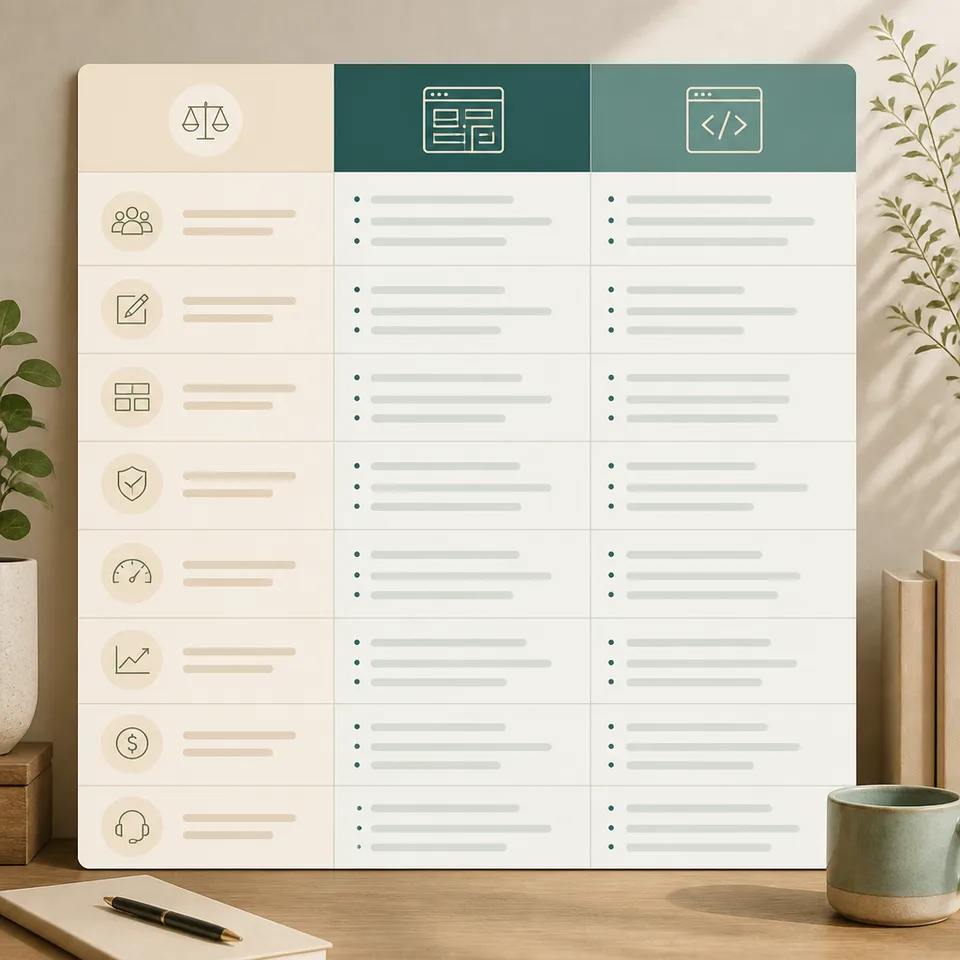
WordPress and custom website decision criteria
| Approach | Guidance | Best for |
|---|---|---|
| Editorial control | WordPress offers broad publishing options; a custom system can constrain fields and approvals more precisely. Test real tasks before deciding. | Teams with either familiar publishing needs or a clearly unusual workflow |
| Portability | WordPress may offer many host and supplier options, while custom portability depends on code quality, documentation, and stack availability. | Organizations that want a credible supplier-change route |
| Performance | Assess templates, assets, hosting, and scripts on representative pages; platform labels alone do not predict visitor experience. | Sites where mobile speed and interaction quality affect important tasks |
| Maintenance | WordPress needs governed updates and extension review; custom work needs specialist dependency and deployment care. | Teams able to fund the type of ongoing stewardship they select |
| Best fit | Select the least complex system that meets documented content, integration, accessibility, and operational requirements. | Decision-makers seeking a durable rather than fashionable architecture |
Frequent questions
Is a custom website faster than WordPress?
Not automatically. A well-built WordPress site can perform well, while a custom site can be slowed by inefficient code, large media, third-party services, or inadequate hosting. Ask for representative measurements and an explanation of the performance budget, caching, image handling, and monitoring plan. The relevant evidence is what visitors experience on important journeys, not the platform name.
Can an Ottawa business own a WordPress site built by an agency?
Yes, if ownership is arranged clearly. The business should control its domain, hosting, administration, analytics, licences, and connected accounts, and should receive usable documentation and exports. Confirm which plugins or components are proprietary, who pays renewals, and what support is available after handoff. An agency can maintain access without being the only party able to operate the site.
When is custom development justified?
It may be justified by an unusual workflow, integration, data relationship, public tool, or performance requirement that a supported platform cannot serve proportionately. Document the requirement and compare the cost of a workaround with the cost of building and maintaining custom code. Aesthetic preference alone rarely explains the additional operational responsibility.
Which option is easier to migrate later?
Neither is automatically easy. Migration depends on structured content, clean URLs, export access, media handling, integrations, and documentation. WordPress can be portable but may contain proprietary extensions; custom systems can export clean data but may require a specialist to interpret it. Require an exit plan and test an export before treating portability as a selling point.
Do both options support accessible websites?
Both can support accessible experiences when templates, components, content workflows, and testing are designed for that purpose. Neither guarantees accessibility by default. Review keyboard behaviour, focus, labels, headings, errors, contrast, zoom, documents, and editor controls. Verify any legal obligations with qualified counsel and continue testing as content and dependencies change.
Resource Context
A related Ottawa SEO resource.
These guides are an independent planning resource for Ottawa teams. For hands-on execution of custom web development, local search architecture, and analytics, explore Ottawa SEO’s agency services.
Continue exploring
WordPress vs. Next.js
Read guide ComparisonWix vs. a Custom Website
Read guide ServiceWebsite Migration in Ottawa
Read guide PlatformWordPress Web Design Ottawa
Read guide Local Service AreasFind web design guidance for your specific Ottawa neighbourhood.
Explore areas All TopicsReturn to the topic hub to explore all available guides.
View topics Core guideWeb design guide
Make the choices behind a useful website visible.
Open guide Core guideWeb development
Understand the technical decisions that shape a reliable launch.
Open guide